How Starlink routes traffic from your dish to the wider internet
Follow a Starlink packet through satellites, laser links, ground gateways and internet interconnections—and see why the route affects latency.
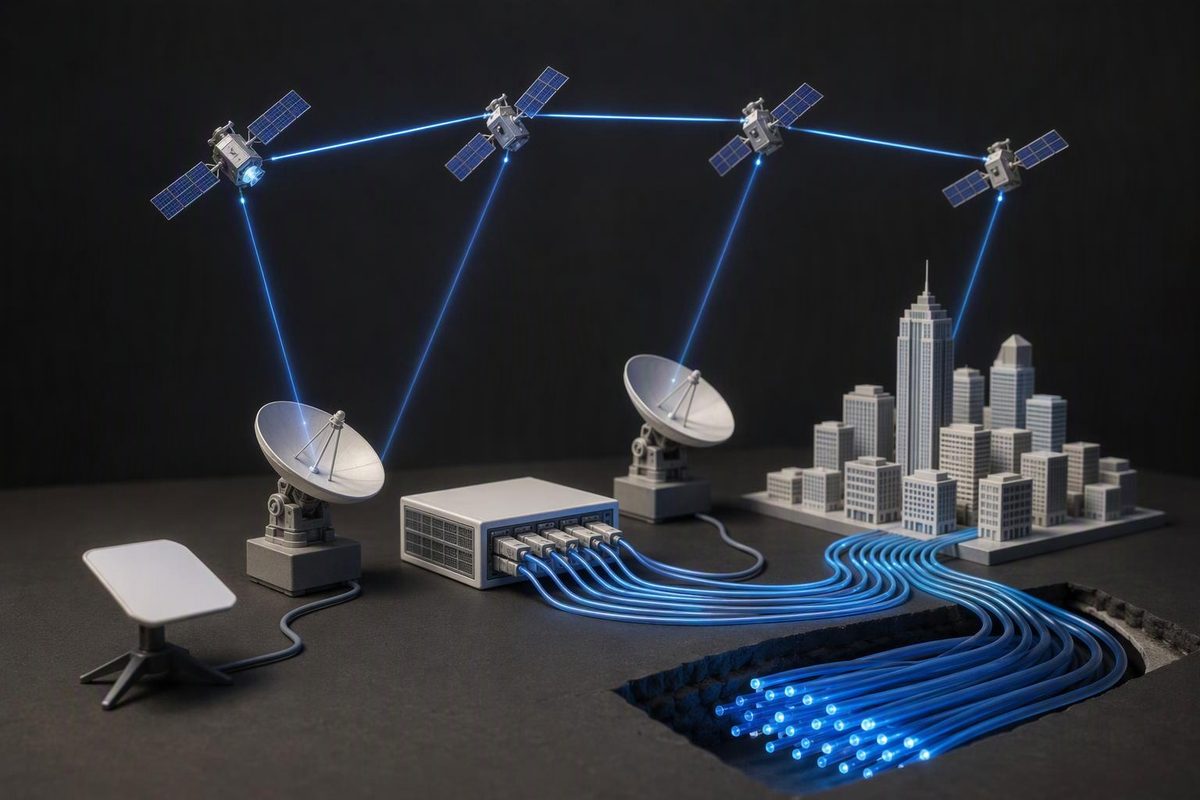
Starlink, operated by SpaceX, carries your traffic from a home terminal to a satellite, then back to a ground gateway—sometimes after passing it between satellites over laser links. From the gateway, a terrestrial network carries it to a Starlink point of presence (PoP) and onward towards other internet networks. The satellite is part of the journey, not the place where the internet lives. Starlink’s engineering explanation distinguishes these space and ground portions of the route.
For a home connection, the basic path is:
Your device → router → Starlink terminal → satellite → ground gateway → terrestrial network → Starlink PoP and backbone → other internet networks → destination server
The important distinction is between a gateway, which provides the radio connection to space, and a PoP, which connects traffic into Starlink’s ground network and towards internet interconnections. They perform different jobs.
Follow one webpage request
Imagine opening a webpage on a laptop connected to your Starlink Wi-Fi. Once the browser has the server’s Internet Protocol (IP) address, it sends the request in packets: small units of data with addressing information.
1. The router sends packets to the terminal
Your home router handles the local connection. It passes outgoing traffic to the Starlink terminal—the equipment commonly called the dish.
The terminal’s phased-array antenna directs its radio beam electronically towards a satellite. The customer-to-satellite connection uses Ku-band, a microwave radio frequency band. At the IP layer, the terminal acts as a transparent bridge rather than appearing as an ordinary router hop, according to the architecture described in a Starlink network measurement study.
2. The satellite sends traffic towards a gateway
If a suitable ground gateway is reachable from that satellite, traffic can go straight back down. This is often called a bent-pipe path: up from the user, through one satellite, and down to the gateway.
But Starlink also has optical intersatellite links—laser connections between satellites. These create another possible path:
Terminal → satellite → one or more other satellites → ground gateway
Laser links are particularly useful where there is no suitable direct satellite-to-ground path, and they can help route around congestion. They do not mean every webpage request travels across a long chain of satellites. Starlink’s 2024 latency engineering note explicitly describes both direct-to-ground and laser-linked routes, while its technology page describes the optical mesh.
3. The gateway hands traffic to the ground network
A gateway is a ground station with antennas and equipment for communicating with satellites. Its onward connection carries traffic through terrestrial infrastructure to a Starlink PoP.
That ground stretch matters: reaching Earth is not the same as reaching the internet interconnection. Starlink identifies the gateway-to-PoP journey as a separate source of delay in its engineering note.
This is a similar infrastructure role to backhaul in a mobile network: carrying traffic away from the radio access equipment towards the operator’s wider network.
4. Starlink’s ground network connects the request to the wider internet
Traffic reaches the customer’s assigned, or “home”, PoP. Starlink also has a terrestrial backbone connecting its PoPs, so reaching that PoP does not necessarily mean the request immediately leaves Starlink.
The request can travel through this backbone before leaving through an interconnection with another network. An internet exchange is infrastructure where participating networks exchange traffic; it is not a central server holding the internet. The measurement study describes Starlink’s home-PoP routing, ground backbone and onward connections through exchanges or other internet service providers.
The website’s response travels back through the same kinds of infrastructure to your laptop. That does not require every packet in both directions to follow an identical physical route.
How does Starlink choose the route?
There are several decisions, not one instruction to “use the nearest satellite”. The network must select a usable radio link, a path to a gateway, and an onward internet connection.
The satellite connection changes. Low-Earth-orbit satellites move across the sky. Starlink says its terminals switch between satellites in real time and use an obstruction map to help select stable links. A closer satellite behind a tree is not necessarily the useful choice. See its beam-switching explanation.
The space path can change. A direct downlink may avoid extra laser hops, while laser links can provide a route where a direct downlink is unavailable or congested. Extra hops can add delay; laser connectivity is not automatically the fastest option for every destination.
The assigned PoP can change. Starlink says it occasionally moves a service cell—a geographic service area—to another PoP to improve latency. This is distinct from switching the satellite overhead. Its IP-address documentation describes how address allocations change during that transition.
So your latency depends on more than satellite altitude. Radio scheduling, shared capacity, laser hops, the ground journey and packet queues all contribute. A nearby website can still be reached by an indirect network path.
What does this mean for addresses and privacy?
As documented in October 2026, Starlink’s default IPv4 service uses carrier-grade network address translation (CGNAT). This translates customers’ internal addresses to shared public IPv4 addresses. Starlink also supports native IPv6. CGNAT does not allow unsolicited inbound IPv4 traffic, which matters if you want to host a server at home. It does not prevent replies to your outgoing webpage requests. Starlink’s address policies explain the distinction.
Routing through space does not make traffic invisible to the operator. Starlink carries the packets and can observe addressing information, traffic volume and timing. Properly secured HTTPS uses Transport Layer Security (TLS) to protect the webpage content between your browser and the server; the operator does not need to read that content to forward it. The HTTP standard defines this protection for HTTPS, while the TLS standard explains that encryption does not conceal all packet lengths and timing. What an operator can observe is a different question from what it actually records or retains.